 Watch and backup
DC Sentinel
Watches your websites and backs up their databases, for free, with your computer off, from your own GitHub account.
- Free · €0
- Every feature, up to 3 sites
- Pro · €9 / month
- Unlimited sites, monthly PDF report under your brand, public status page
Windows, macOS, Linux. Or €90 a year, 2 months free. See the plans · Try Pro for 14 days
01 · How it works
Three steps, then it runs
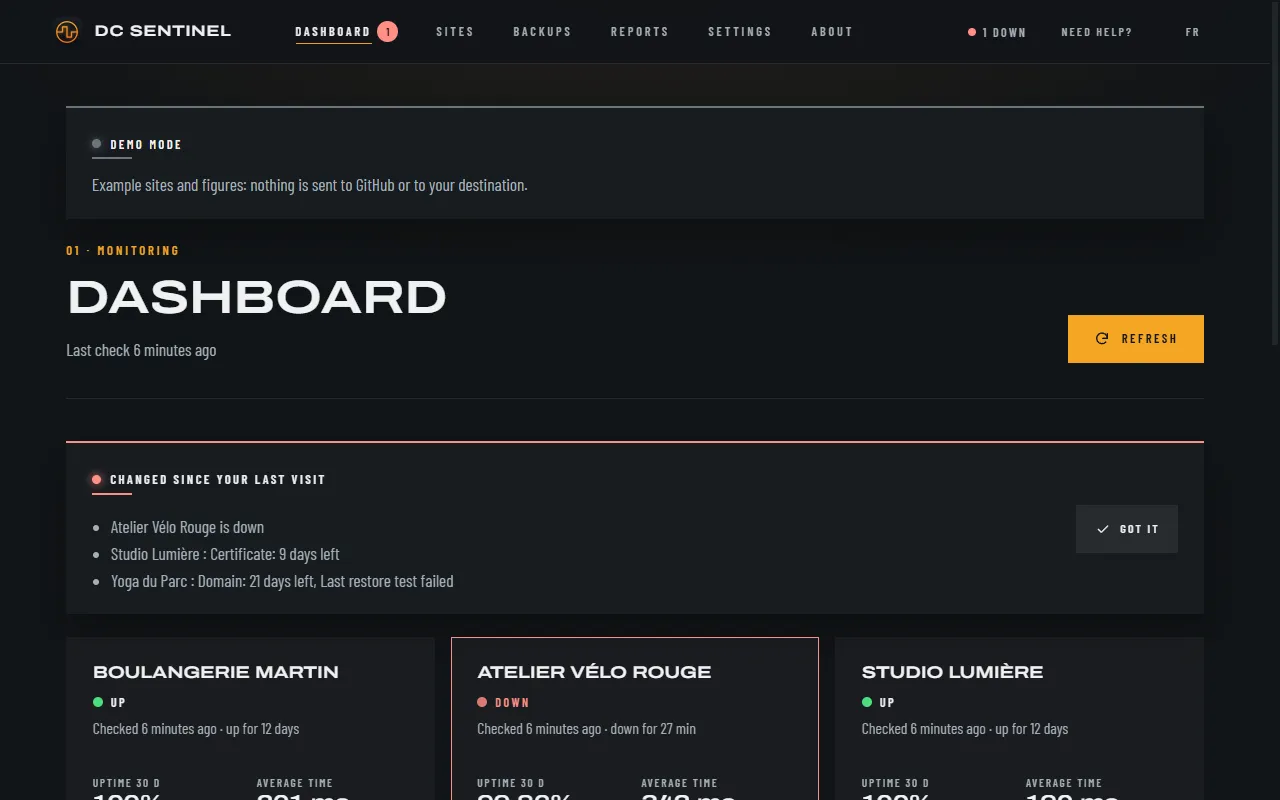
The engine runs in GitHub Actions, in your own private repository: every 2 hours it checks that your sites answer and that their certificate and domain are not about to expire; every Sunday it backs up their databases, encrypts them and stores them in your Google Drive, OneDrive, Dropbox or S3 bucket; every month it restores the newest backup in a throwaway database to prove it can be restored. The desktop app sets everything up in a few clicks, shows the state of your sites and restores a backup when you need it.
Your data stays yoursThe engine runs in your GitHub account, the backups go to your storage, encrypted with a passphrase only you know. Nothing about your sites goes through a server of DC Sentinel: the only call home is the check of a Pro licence key.
Run the wizard
GitHub sign-in, your private repository, your storage (Google Drive, OneDrive, Dropbox or S3) and your passphrase: 7 steps, once.
Add your sites
By hand, or straight from a DC Scaffold project folder: the backup key is generated and written for you.
Turn your computer off
GitHub Actions checks your sites every 2 hours, backs up their databases every Sunday, tests a restore every month and alerts you when something changes.
02 · What it does
Everything it does for you
What DC Sentinel does, part by part. The free plan and Pro only differ where the table of plans says so.
- 01
Monitoring
Every 2 hours by default (30 min to 12 h): HTTP status, a keyword in the page, response time, HTTPS certificate, domain expiry, security headers; 3 tries 20 s apart before a check counts as failed.
- 02
Alerts
Only when something changes: a site goes down or comes back, a certificate has fewer than 14 days, a domain fewer than 30, a backup or a restore test fails. GitHub e-mail, optional Discord and Telegram.
- 03
Backups
Every Sunday, the database of every site through its own backup address (POST + key, the site only knows its SHA-256); dump checked, encrypted with AES-256-GCM, sent with rclone to Google Drive, OneDrive, Dropbox, Amazon S3, Cloudflare R2 or any S3-compatible storage, with a guided setup and « Test the destination ».
- 04
Retention
Grandfather-father-son: the newest backup of each of the last 8 weeks and of each of the last 6 months (both adjustable).
- 05
Restore drill
Every month, the newest backup of every site is restored into a throwaway MySQL database, its tables counted and checked.
- 06
Lighthouse and report
Weekly Lighthouse audit (mobile and desktop, alert under 90) and a Monday report with uptime, response time, backups, drill and scores.
- 07
For your clients (Pro)
A monthly PDF report under your brand (name, logo, colour) per site or per client, e-mailed through your own mail server, and a public status page (GitHub Pages or Cloudflare Pages) with 90 days of uptime and incidents.
- 08
Desktop app
Setup wizard, dashboard, sites added from a DC Scaffold project folder (backup key generated and written for you), backups to download, decrypt and restore, in French and English.
- 09
Cost
The minutes included with GitHub (2,000 a month for a private repository on GitHub Free; about 400 with the default settings and a few sites) and the storage you already have.
- 10
In the app
« What’s new » once after each update with the notes of the new version, « Need help? » to send a question from the app, and « Try Pro for 14 days » in Settings, License.
03 · Screens
See it at work
Real screens of DC Sentinel, as you will see them.
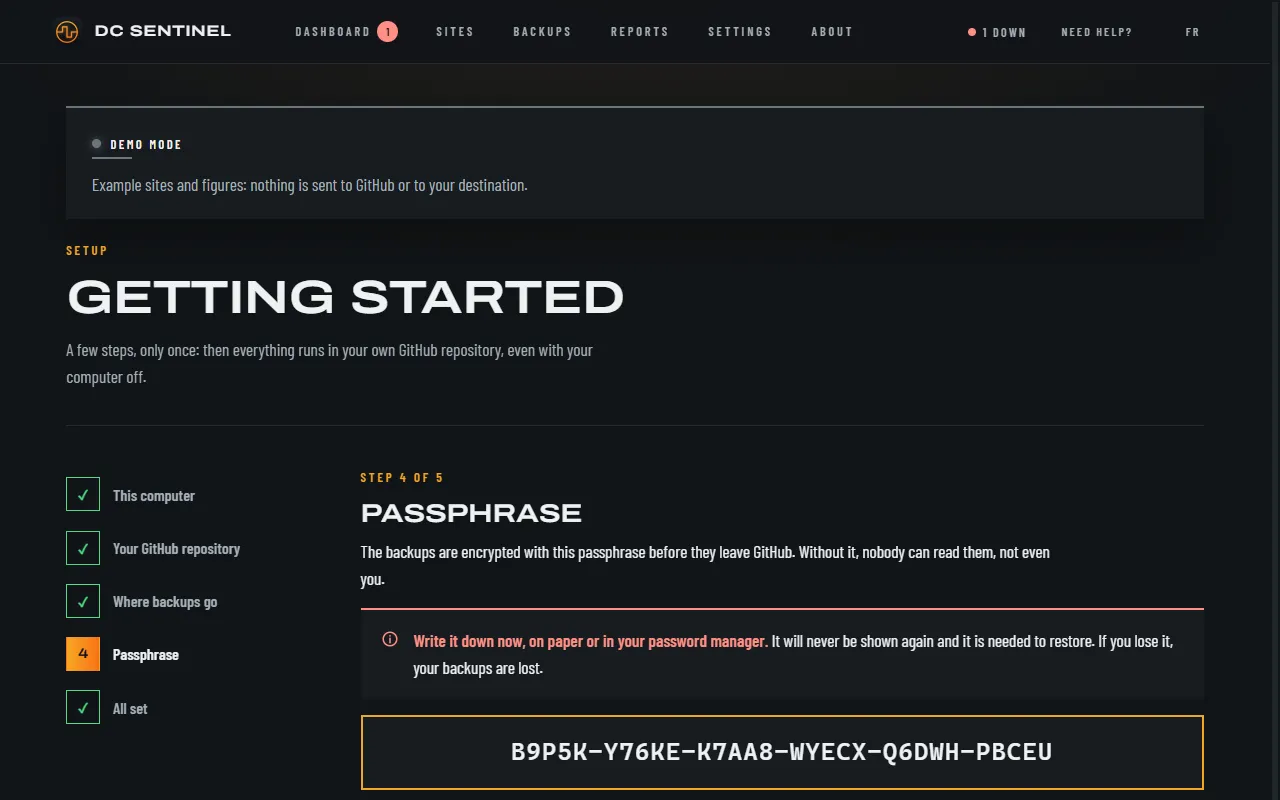
Getting started 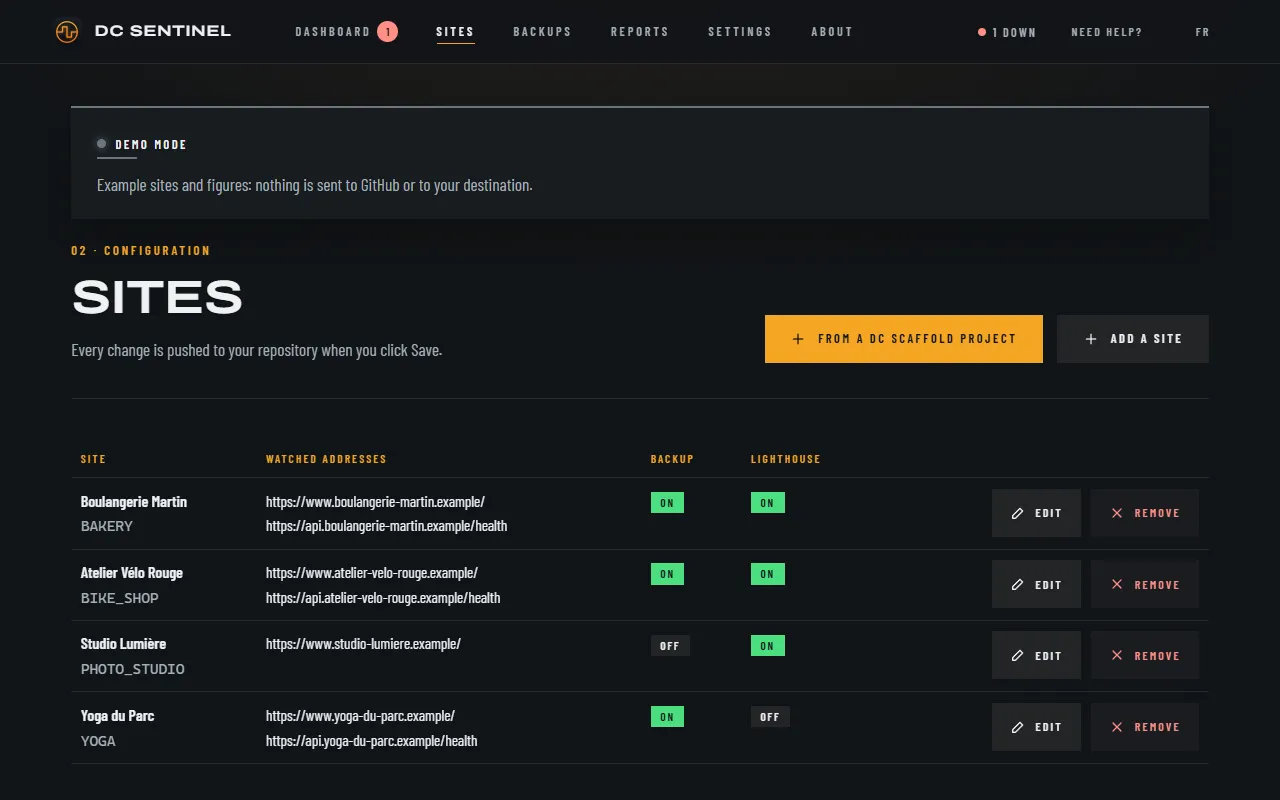
Sites 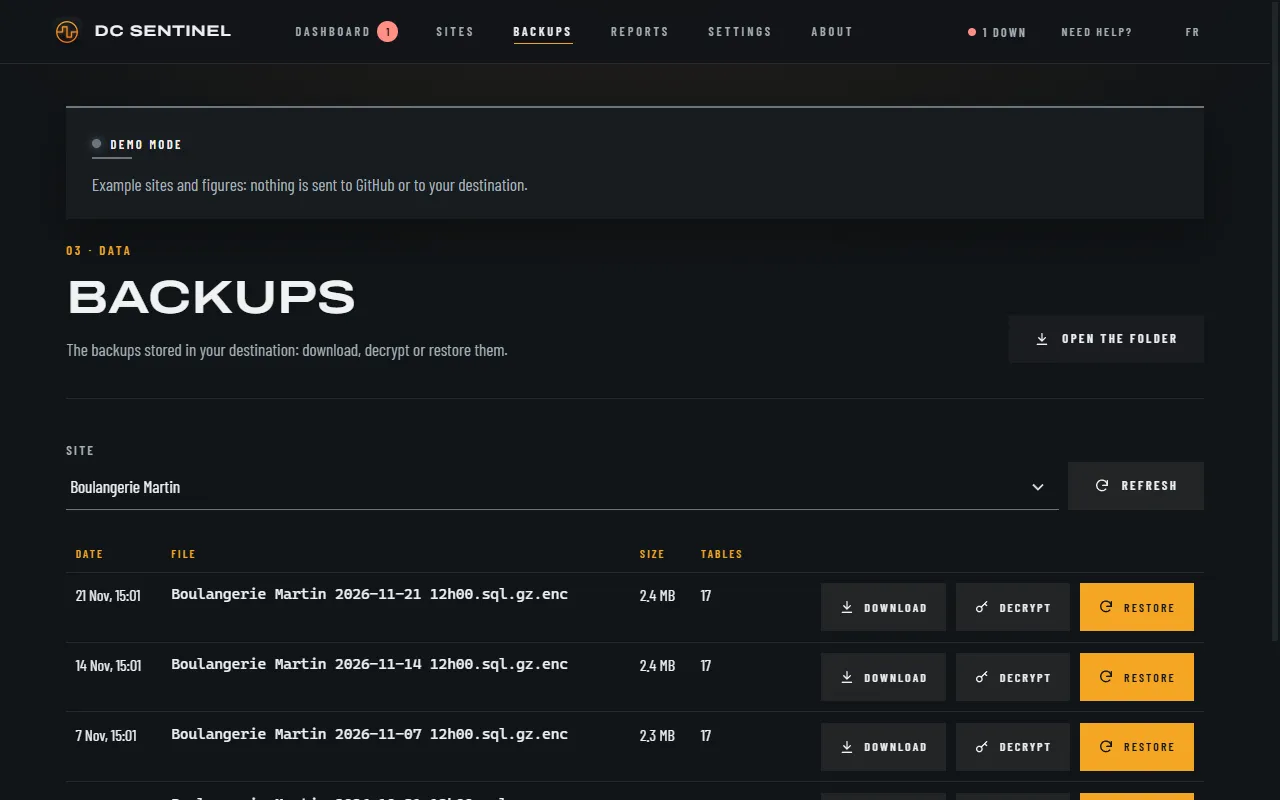
Backups 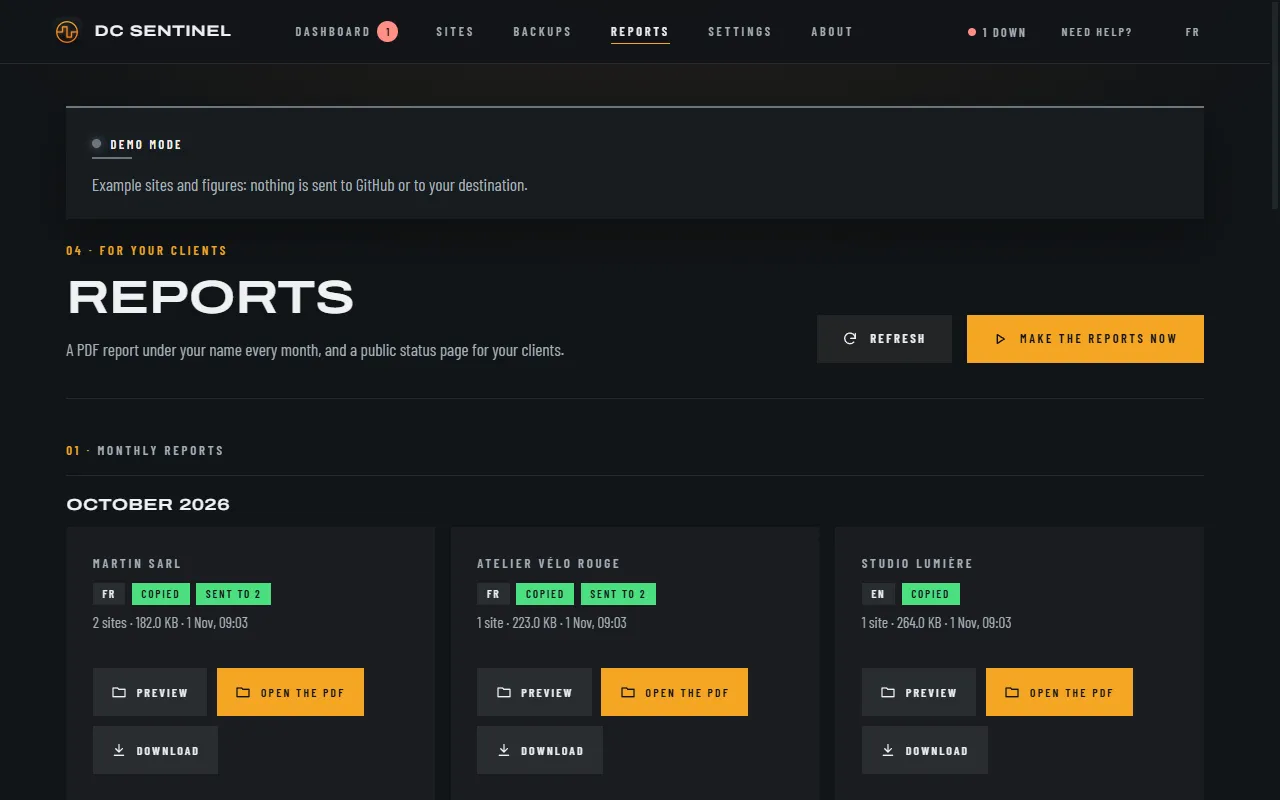
Monthly reports (Pro) 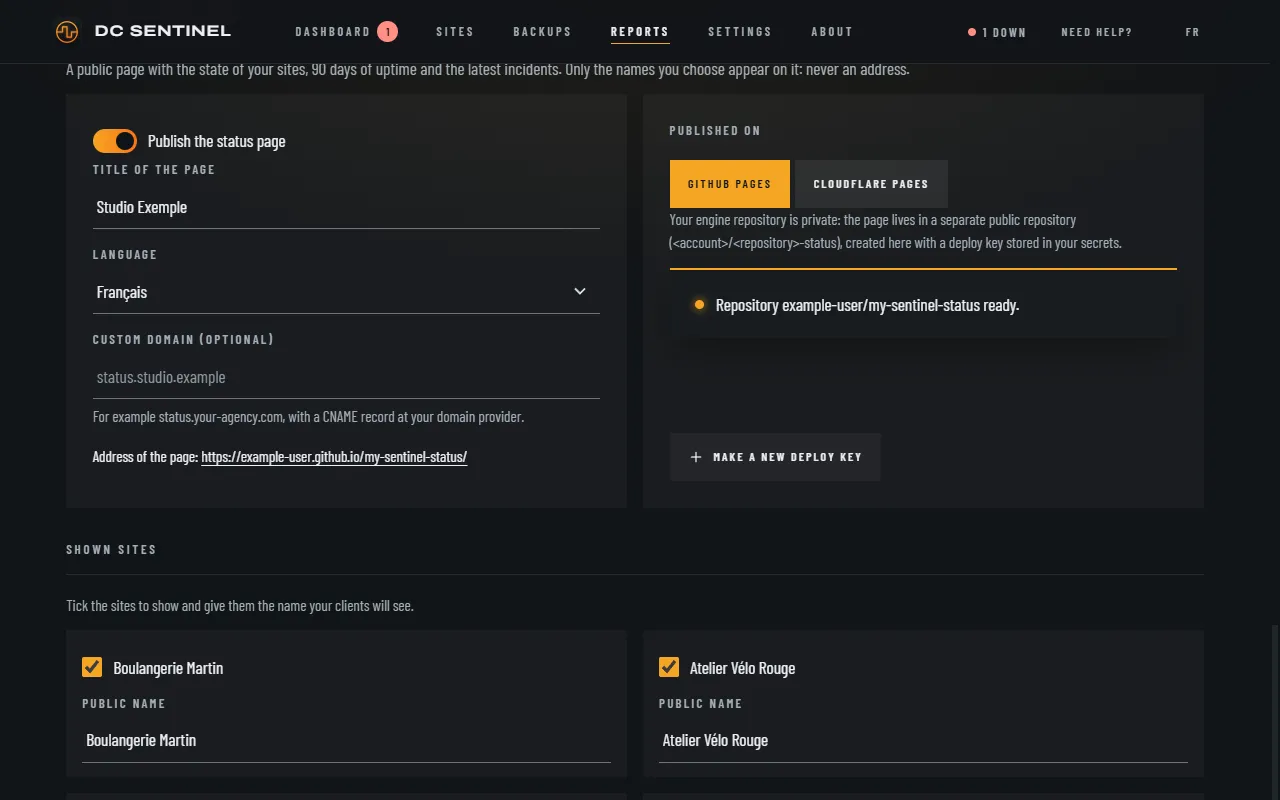
Public status page (Pro) 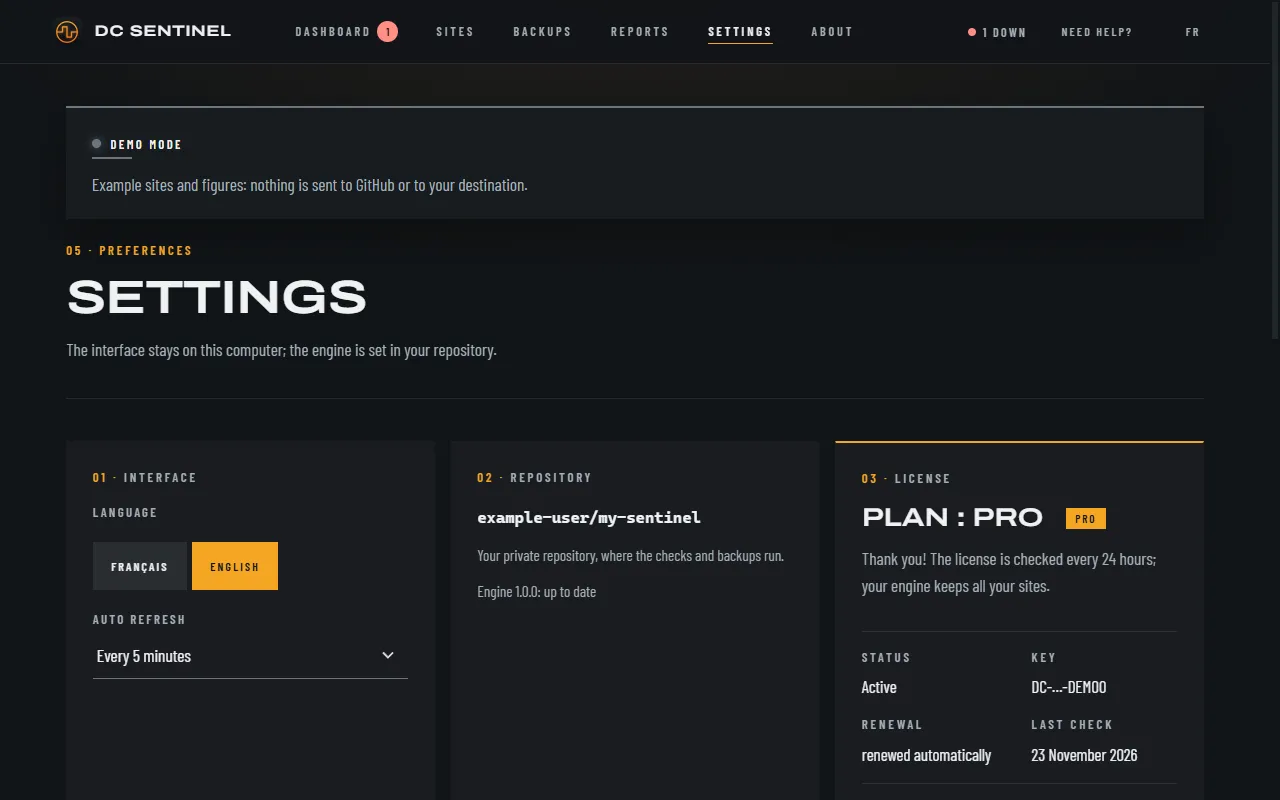
Settings
04 · Free vs Pro
Plans and prices
Free to start, with no time limit. Pro lifts the limits, by month or by year, and you can cancel at any time.
Prices in euros, VAT not applicable, art. 293 B du CGI.
Sold to professionals only
Free
€0 forever
No card, no time limit.
Every feature, up to 3 sites
Pro
€9/ month
€90/ year
Launch: €6.30 / month for life, for the first 50 customers.
Launch: €63 / year for life, for the first 50 customers.
Unlimited sites, monthly PDF report under your brand, public status page
DC Complete
€29/ month
€290/ year
Launch: €20.30 / month for life, for the first 50 customers.
Launch: €203 / year for life, for the first 50 customers.
DC Scaffold, DC Prospect and DC Sentinel in Pro with one licence key: paste the same key in each tool.
Try Pro
Try Pro for 14 days
A Pro key by e-mail, valid 14 days.
Key by e-mail
Sent right after the payment. Paste it in Settings, License: Pro is on at once.
Cancel any time
From the Stripe customer portal. Pro stays until the end of the period already paid.
Your data stays yours
Your projects, prospects and sites stay on your computer and in your own accounts.
Works offline
14 days without internet, then back to the free plan until the key can be checked.
| Feature | Free | Pro |
|---|---|---|
| Sites watched and backed up | Up to 3 | Unlimited |
| Monitoring, alerts, encrypted backups, restore drill, Lighthouse, weekly report, desktop app | Included | Included |
| Backup destinations: Google Drive, OneDrive, Dropbox, Amazon S3, Cloudflare R2, S3-compatible | Included | Included |
| Monthly PDF report under your brand (logo, colours, no DC Sentinel brand), e-mailed to your clients | Not included | Included |
| Public status page (GitHub Pages or Cloudflare Pages) | Not included | Included |
| Price | Free | €9 a month or €90 a year |
05 · Questions
Good to know
The licence key, the subscription, the offline use and the first install.
Which sites can be backed up?
Monitoring works for any website. Backups need a MySQL or MariaDB database and a backup address: built into every back end of DC Scaffold 1.9.0 or later, or your own implementation of the documented backup endpoint contract. Uploaded files are not part of the database backup.
What do I need?
A GitHub account (the free plan is enough) and a storage for the backups: Google Drive, OneDrive, Dropbox or an S3-compatible bucket. The setup wizard installs GitHub CLI, Git and rclone for you.
Is the free plan really free?
Yes, with no time limit and no card: download, install, use. Pro only lifts the limits of the free plan.
Can I try Pro before paying?
Yes: Try Pro for 14 days, with your e-mail only, no card. A Pro key valid 14 days is e-mailed to you; at the end DC Sentinel goes back to the free plan, nothing is lost. One trial per e-mail and per offer.
What is DC Complete?
The three tools in Pro with one key: DC Scaffold, DC Prospect and DC Sentinel, for less than the three on their own. Its prices are on the home page and next to the plans of each tool; running offers apply to it too.
How does the licence key work?
After the payment, your key (DC-XXXXX-XXXXX-XXXXX-XXXXX) is e-mailed to the address used for the purchase. Paste it in DC Sentinel, Settings, License: Pro is unlocked at once. Each key is for one tool. The app checks the key when it starts and every 24 hours.
How does the subscription renew?
Monthly or yearly (2 months free on the yearly plan, prices above), renewed automatically by Stripe at the end of each period until you cancel.
Can I cancel at any time?
Yes, from the Stripe customer portal, with your e-mail: Manage my subscription. Pro stays active until the end of the period already paid, then the app goes back to the free plan. Nothing is lost: your data stays, only the free limits apply again. The portal also holds your card and your invoices.
What if I am offline?
The app keeps its last valid check: Pro keeps working for 14 days without internet, then goes back to the free plan until it can check the key again.
What about the launch offer?
Running offers are shown next to the prices with their conditions (discount, duration, places left). The discount is applied automatically at checkout and kept for its stated duration.
Who can buy?
Pro and DC Complete are sold to professionals only for now (freelancers, companies, associations buying for their business): the payment asks for your company or SIRET. The free plan and the 14-day trial stay open to anyone.
Who can buy?
Professionals and individuals. If you buy as a consumer, you ask for immediate access to the key at checkout and waive the 14-day withdrawal right once it is delivered; the consumer mediator is named in the terms of sale.
Is VAT added?
No, the prices shown are the prices you pay: TVA non applicable, art. 293 B du CGI (French VAT exemption of micro-businesses). Payment by card through Stripe.
Windows says “Windows protected your PC”
The installers are not code-signed yet, so Windows SmartScreen may warn on the first install. Click More info, then Run anyway. On macOS, the first time: System Settings, Privacy & Security, Open Anyway (or right-click the app, Open).
06 · The family
The other DC tools
The same way of working, for the other parts of your job.

